Subscription and usage
IPTV Subscription and Usage Process
An IPTV subscription is a whole that begins with choosing a package, continues with sharing the subscription details and setting up the device, and carries on with usage and support steps. This page covers the subscription process step by step, together with the single simultaneous device scope, the 3-day refund policy and the items to check before purchase.

Subscription Flow
What Steps Does a Subscription Involve?
An IPTV subscription is not a one-off transaction;
it moves forward with the period choice, the start of the subscription
and the setup steps.
-
Period and package choice
Choose the period that suits your usage plan from the 3-month, 6-month and 12-month options and the scope listed on the cards.
-
Subscription start
The login or connection details shared within the subscription scope are added to the compatible IPTV app on a supported device.
-
Usage and support
After setup, live TV and other content can be used. In case of connection, device or app-related problems, the support process comes into play.
Subscription Scope
What Does an IPTV Subscription Cover?
An IPTV subscription provides access to live TV channels and other content on a supported device with an internet connection. The subscription scope is listed as items on the package cards; different periods are offered with the same scope structure.
Using a subscription involves several steps beyond the purchase itself: adding the login or connection details to a compatible IPTV app, recognising the broadcast categories and the conditions of the device you use being suitable. These steps can vary by device and app.
- Determining which device the subscription will be used on makes the setup step easier
- Checking the scope items listed on the package cards before purchase is worthwhile
- Because every subscription is defined for a single simultaneous device, the number of devices must be decided in advance
Euro Prime TV offers 3-month, 6-month and 12-month subscription options for users living in Europe. For details about the subscription start, refund terms and the next steps you can review the Refund and Subscription Terms page or contact the support channels.
3 · 6 · 12
subscription periods in months
IPTV
subscription scope
Usage Scenarios After Subscribing
Content within the subscription scope can be used on a television, mobile device or computer. The preferred screen changes with the usage scenario; the items below summarise device-based usage.
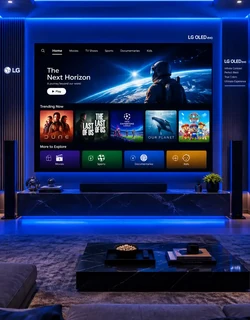
Television: users who want to watch on a large screen at home can choose devices such as Smart TV and Android TV. The subscription details are defined in the IPTV app installed on the television.
Mobile device: users who want to watch outside the home can get access via phone and tablet. In this case mobile data usage and connection conditions should be taken into account.
Computer: users who want to watch from a desktop or laptop can connect through supported IPTV players. The player choice can vary depending on the connection method.
Television
Setup with the app
Mobile Device
Phone · tablet
Computer
Desktop · laptop
How many devices can I use the subscription on at the same time?
Every subscription is defined for a single simultaneous device; those who want to watch on a second device at the same time buy a separate subscription per device. Deciding how many screens you plan to use the subscription on also clarifies the total amount. For details, see the multi-connection IPTV and single-device IPTV pages.
Subscription Support
Contact Us for an IPTV Subscription
You can send us your questions about the subscription start, package scope and setup steps via our WhatsApp line or by email.
-
-
Email
-
Subscription Information
About the subscription
Frequently Asked Questions
about IPTV Subscriptions

Membership
steps
How is an IPTV subscription started?
Once the package is chosen, the login or connection details provided within the subscription scope are shared. Usage starts by adding these details to a supported IPTV app; the steps can vary depending on the device and the app used.
What do I need for an IPTV subscription?
An internet connection, a supported device and a compatible IPTV app are required to use the subscription. Device compatibility can vary depending on the app used.
When does the subscription period start?
The subscription starts when the login details are shared and access is opened. You can get confirmation of the start date and period from the support channels.
How many devices can I use the subscription on at the same time?
Every subscription is defined for a single simultaneous device. If you want to watch on a second device at the same time, a separate subscription is purchased for the second device: the total of the two subscriptions is 60 EUR for 3 months, 100 EUR for 6 months and 160 EUR for 12 months.
Can I move my subscription details to another device?
Depending on the app used, a device change can be made. For the device change steps and conditions you can get information from the support channels.
Does access close when my subscription ends?
When the subscription period expires, access closes at the end of the period. To continue using the service, the subscription can be renewed by choosing the same or a different period.
What is the refund period on a subscription?
The refund period for subscriptions is 3 days. The details of the terms are on the Refund and Subscription Terms page; for refund requests and payment steps you can get information from the support channels.
