






IPTV Setup Guide
The general IPTV setup guide with the steps that suit your device, plus the points to pay attention to.
Open the Guide






Everyone watches differently. Live TV, sports, films and series, plus Turkish and international content, sit inside one service structure, depending on the supported devices and package coverage.



Follow news, entertainment and television broadcasts from different countries over your internet connection.

If you follow live sport, stream access and device performance go together.

Alongside live channels, on-demand films and series make up another part of IPTV use.

Turkish channels can be reached from Europe, and broadcasts from other countries can be followed as well.

Viewers in Europe do not all want the same thing from television. One may look for Turkish channels while another focuses on international content, live sports or films and series.
The service is built around different content preferences and supported device options, rather than a single way of watching.
Device compatibility, setup steps, the use of subscription details and technical support all belong to the same flow.

Rather than deciding on price alone when choosing an IPTV subscription, assessing the service terms together with your own needs provides a healthier comparison. The following points can be checked before the purchase decision:
Which devices are supported
How many devices the subscription can be used for
Compatibility with the IPTV app you use
How setup and login details are provided
EPG (electronic programme guide) support
Technical support options
Subscription term and renewal terms
Content categories offered in the package
Internet connection and device requirements
Device choice is one of the important parts of the IPTV experience. Different setup steps may be required for the device families below; follow the setup guide that suits your device.
One of the important reasons for Turkish users living in Europe to use IPTV is the need to follow television content from Türkiye over an internet connection. When evaluating an IPTV service by country or city, device compatibility, package coverage and usage needs should be assessed together rather than deciding on the location name alone.

An IPTV subscription is treated not only as a purchase, but as a process
consisting of package selection, setup, usage and
support steps.
Choose the IPTV package that suits your usage needs. Check the package term, device usage and content coverage before purchasing.
Prepare the supported device and IPTV app in line with your subscription details. Follow the setup guide that suits your device.
Once setup is complete you can use live TV and the other content. If you have a problem, check the device, app and connection conditions and use the support process.
To use the IPTV service, your subscription details must be added correctly to a supported app or player. Depending on the device and app you use, Xtream Codes, an M3U link or a different connection method can be used. The setup process can basically include the following stages:
The general IPTV setup guide with the steps that suit your device, plus the points to pay attention to.
Open the GuideSteps to sign in to supported apps with your username, password and server details.
See the StepsHow to add a playlist with an M3U link and use it in compatible players.
M3U GuideConfiguring the electronic programme guide and following the broadcast schedule.
EPG GuideYou can reach us via our WhatsApp line or by e-mail to get answers to your questions about subscription, setup and technical support.
Because IPTV broadcasts are transmitted over an internet connection, the quality of that connection plays an important role in the user experience. A high internet speed alone is not always enough.
The strength of the Wi-Fi signal, the traffic created by other devices using the same connection, the resources of the device in use and whether the IPTV app is up to date can all affect the viewing experience. For this reason, when a problem occurs during a broadcast, it is necessary to check not only the IPTV service but also the device and local network conditions.

IPTV packages are assessed by subscription duration; the content coverage is the same for all durations. You can choose the subscription that suits you by assessing the package term, the number of devices to be used and your setup needs together.

3-month subscription · all content included
Live TV channels
Movie and series content
EPG programme guide support
Xtream Codes and M3U support
Device setup support
6-month subscription · all content included
Live TV channels
Movie and series content
EPG programme guide support
Xtream Codes and M3U support
Device setup support
12-month subscription · lowest monthly cost
Live TV channels
Movie and series content
EPG programme guide support
Xtream Codes and M3U support
Device setup support

Setup
and support
Euro Prime TV provides an IPTV service that lets viewers in Europe reach live TV and other supported television and video content over an internet connection.
Which devices work depends on the app you use and the platforms the service supports. Smart TV, Android TV, Google TV, Fire TV, Apple TV, mobile devices and computers may each use IPTV in a different way.
After subscribing, the login or connection details are added to a supported IPTV app. How you set it up can vary with the device and the app.
Viewers in Europe can reach supported Turkish television content over IPTV using an internet connection. The content and package coverage available depends on the service you choose.
Setup depends on the device and the IPTV app you use. Euro Prime TV provides setup guides for different devices and connection methods.
Buffering can be caused by the internet connection, Wi-Fi conditions, device resources, app status or other local network factors. To find the source, the connection and the device conditions need to be checked together.

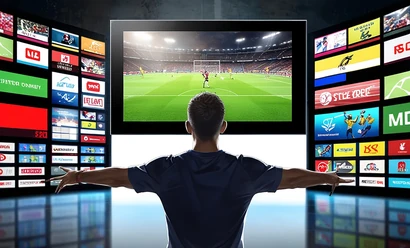
How IPTV works: streams over an internet connection and the different ways it is used.
What to check when a stream buffers: the connection, the device and the app.
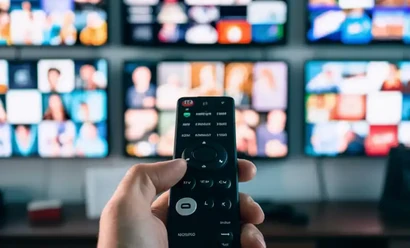
The importance of connection stability and Wi-Fi conditions for high-resolution streams.

How to compare package term, device use and support terms.

Installing an IPTV app and adding login details on Samsung and LG Smart TV devices.

The differences between username-password login and an M3U link and where each is used.
